
How to Recap a Foreign-Language Movie or Interview in Your Own Language
Make a recap with commentary in your language over a video in another one — and keep the best original lines with translated subtitles. A real English-to-Chinese example.
In shortThe voiceover of a recap does not have to match the language of the video. Choose your language before you start: the AI writes and voices the commentary natively in it, keeps the best original lines with their real sound, and can subtitle those lines in your language too.
Why recap videos in another language are worth making
Most films, series and interviews never get a version in most of the world’s languages. A recap in your language is often the only way your audience will ever hear the story — which is why “movie explained” channels in Hindi, Spanish, Indonesian or Chinese can grow so fast.
The obstacle has always been the work: you have to understand the original, write a script in another language, and still match every line to the right scene.
Translation is not the same as commentary
That is how the AI works when the voiceover language differs from the video: it reads the original transcript, understands the story, and writes the commentary from scratch in your language. Names of people and places stay as they are in the video, so viewers can look them up.
How to make a recap in your own language, step by step
- Upload the video in its original language A movie, an episode or an interview between 5 minutes and 3 hours, with speech in any language. It is transcribed in that language.
- Set the voiceover language Pick your language instead of “Same as the video”, and choose a commentary style. The AI chooses a voice that speaks that language and suits the style.
- Let the agent write and voice the recap It reads the whole story, writes each line in your language, records it and cuts the matching scenes from the original video.
- Subtitle the original dialogue in your language After a voiceover, the scene plays on with its original sound. Use “Translate the dialogue subtitles”, pick your language, and send the request the button writes into the chat — the agent translates those lines.
- Choose how the subtitles show, then export Show the translation with the original line under it, the translation only, or the original only. They are burned into the MP4 exactly as in the preview.
A real example: an English interview, recapped in Chinese
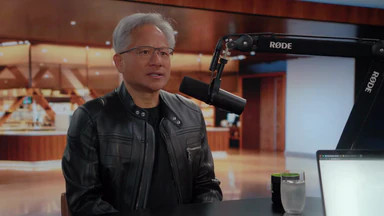
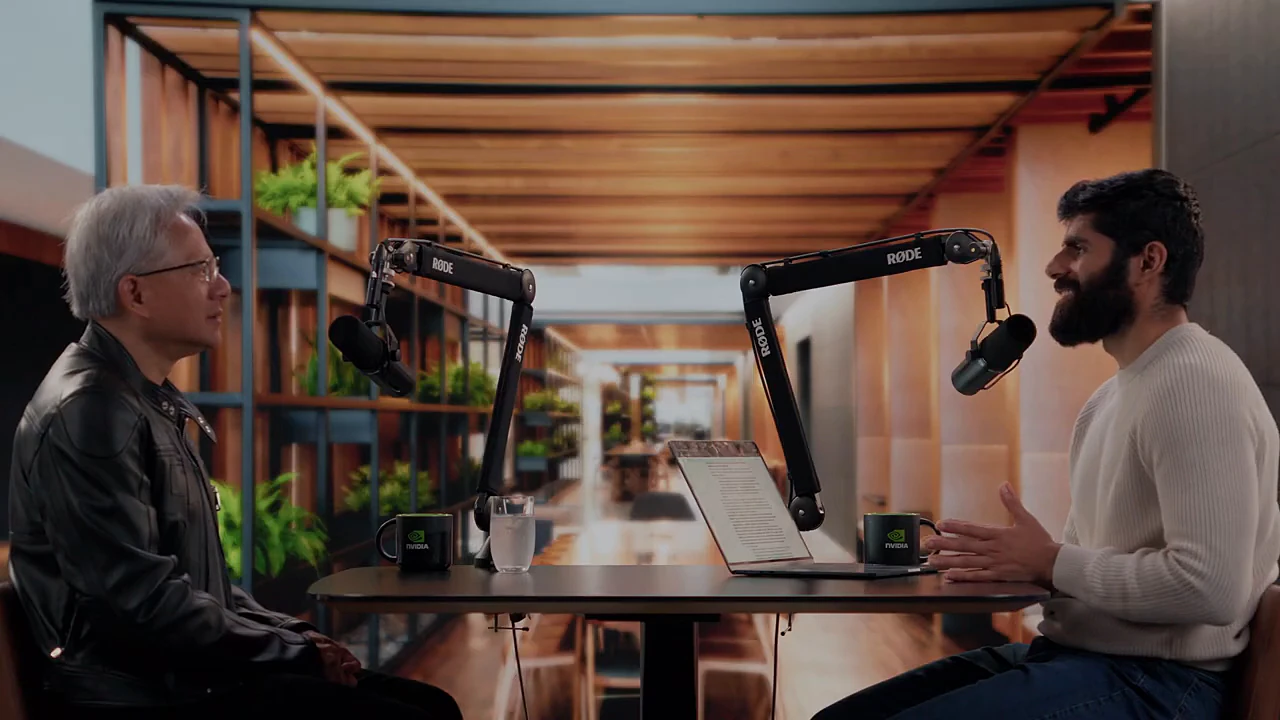
We took a 1 hour 43 minute English interview with Jensen Huang and asked for a witty recap in Simplified Chinese. The agent read the English transcript, chose a Chinese voice and wrote 9 lines in Chinese — the full recap runs 5 minutes 35 seconds. Two of its lines, as it wrote them:
Voiceover written by the agent
- AI会不会把英伟达也卷成白菜价?黄仁勋的答案很直接:把电子变成Token,这门手艺可没那么容易复制。
Will AI turn Nvidia into a bargain-bin commodity too? Jensen’s answer is blunt: turning electrons into tokens is a craft that’s hard to copy. - 供应链最意外的瓶颈,居然是水管工和电工。
The most surprising bottleneck in the supply chain? Plumbers and electricians.
Notice the second line: it does not translate anything Jensen says. It sets up a joke in Chinese — and then the interview plays on in English, subtitled with the translation on top and the original underneath:
猜猜我们缺什么?Guess what we're short of?
放射科医生。Radiologists.
Those subtitles were added by one follow-up message — “translate the subtitles of the original dialogue into Simplified Chinese” — after which the agent translated every original line that plays after a voiceover.
Tips for recaps in another language
- Write to the agent in your own language. It replies in the language you use, so the conversation stays easy even when the film is in a language you do not speak.
- Keep a few original lines. Hearing the real voices — with subtitles — makes a foreign film feel authentic instead of dubbed.
- Pick a style your audience expects. Humor travels differently between languages; if unsure, start with “Let the AI choose” and adjust in chat.
- Check names on the first watch. Names come from the transcript of the original. If one is misheard, tell the agent the right spelling and it will fix the lines.
Frequently asked questions
Does the AI just translate the original dialogue?
No. It writes the commentary directly in the voiceover language, the way a native recap host would tell the story — not a line-by-line translation of what the characters say. Names of people and places are kept as they are in the video.
Can I chat with the AI in one language and get the voiceover in another?
Yes. The agent replies in the language you write in, and the voiceover follows the language you chose. You can chat in English and get a Japanese recap, or the other way round.
Can I change the voiceover language later?
Yes — ask in chat. The lines are rewritten and voiced again in the new language.
Into which languages can the dialogue subtitles be translated?
The language picker offers 17 common languages, from English, Spanish and Chinese to Arabic, Hindi and Thai. You can also ask the agent in chat for another one.