
How to Make a Movie Recap Video with AI — No Script, No Timeline
Movie recap videos without writing a script or editing a timeline: how the AI picks the scenes, writes and voices the commentary, and what you still decide.
In shortA movie recap is a few minutes of commentary over the key scenes of a film. You can now let an AI agent read the whole story, choose the scenes, write and voice every line and cut the footage to match — you pick the language and the style, then refine it by chatting.
What a movie recap video is — and why people watch them
Recap channels condense a two-hour film or a whole season into a few minutes: a voice tells the story, the picture shows the moments that matter, and every so often the original dialogue plays so you hear the actual line. Viewers get the story without the time, and the commentary adds a point of view — a joke, a sense of dread, a verdict.
The format is simple to watch and slow to make. That gap is the reason most people who want to start a recap channel give up after two or three videos.
Why recaps take so long to make by hand
- You watch the whole film, often twice, taking notes with timestamps.
- You write a script that tells the story in a few minutes — the hardest part, and the part that decides whether anyone watches.
- You find the exact shots for every line, scattered across two hours of footage.
- You record the voiceover, then line up voice and picture on a timeline, lowering the film’s sound under your voice.
- You add subtitles and export — and start again when one line does not fit.
Each of these steps is repetitive work around one creative decision: what is the story, and how do you tell it? That is exactly the part an AI agent can now draft for you.
How to make a movie recap with AI, step by step
- Upload the movie Choose a movie, an episode or an interview between 5 minutes and 3 hours long. The video stays on your device; only its audio is sent to be transcribed.
- Choose the voiceover language and the style This is the only input the recap needs. The voiceover can be in the same language as the movie or in another one, and the style sets the tone of every line.
- The AI agent reads the whole story It reads the full transcript from the first minute to the last before writing anything — endings often decide what the opening should set up.
- It writes, voices and cuts each beat For every beat of the story it writes one line of commentary, records it with an AI voice that suits the style, and picks the shots that show it — even when they come from very different parts of the film.
- It watches its own cut and fixes it The agent reviews the recap as a viewer would — is the first line a real hook, do the shots match the words, does the ending land — and changes what does not work.
- You refine it by chatting Ask for a punchier opening, another voice, a different order, or subtitles for the original dialogue in another language. The agent changes only what you asked for.
- Export the MP4 Set the subtitle style and how loud the original sound plays, then export. The video is rendered in your browser.
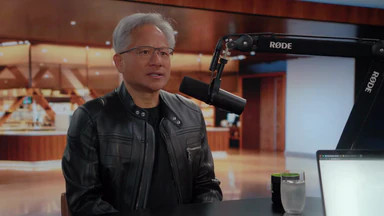
A real example: a 1 hour 43 minute interview, recapped in 5 minutes 35 seconds
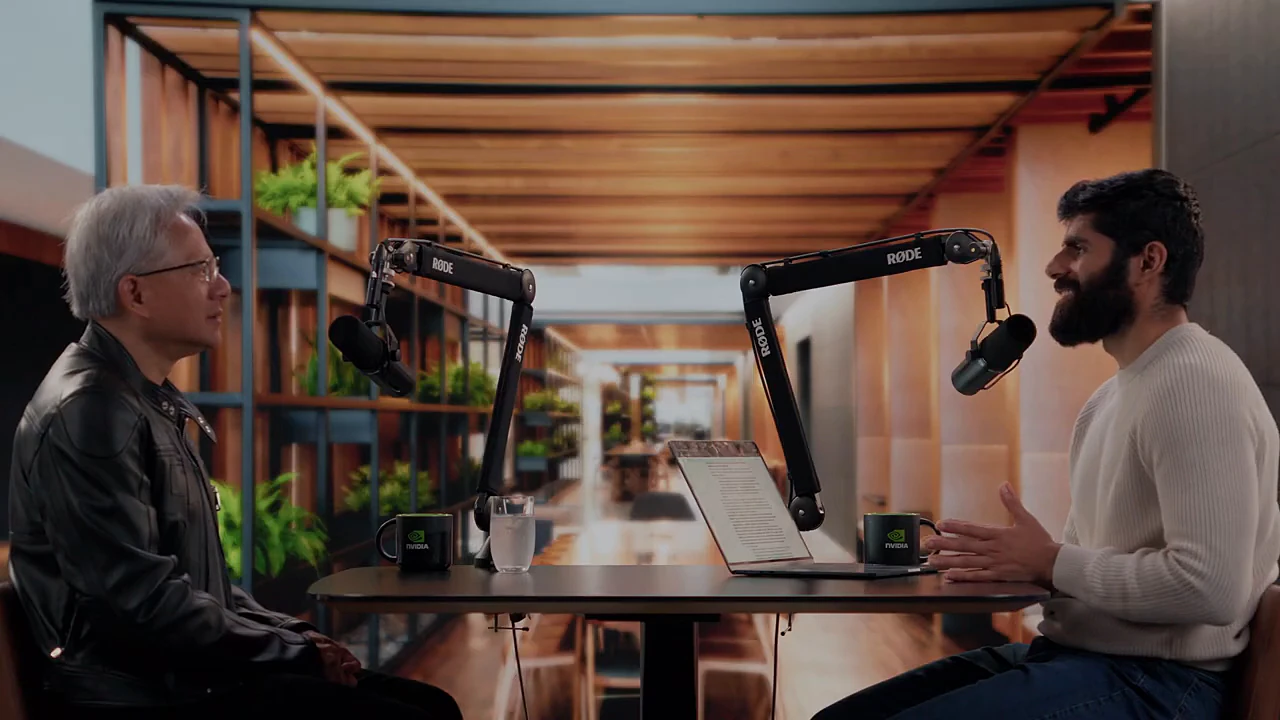
We ran it on a long conversation with Nvidia’s CEO, Jensen Huang, asking for a humorous recap. One message started it; everything below is what the agent did on its own.
What the agent did
- Read the whole transcript: 11 pages, from 00:00 to 1:43:12.
- Picked 20 moments from across the video and grouped them into 9 beats.
- Wrote and recorded 9 voiceover lines.
- Reviewed its own cut and swapped the shots of 4 beats so the picture matched the words.
- Result: a 5 minute 35 second recap, about 30 actions with no input from us.
One beat shows how a good recap uses the original sound. The voiceover sets it up:
“The most surprising bottleneck in the supply chain? Plumbers and electricians. Chips can add capacity; workers can’t be copied with one click — so he brings up the radiologist shortage as a warning not to write jobs off too early.”
Then the voice stops and the interview plays on with its own sound, landing on his punchline: “Guess what we’re short of? Radiologists.” The commentary carries the story; the original line delivers the payoff.
Which commentary style should you pick?
| Style | Use it for |
|---|---|
| Witty & humorous | Talk shows, comedies, interviews with strong opinions — anything where a wink keeps people watching. |
| Suspenseful | Thrillers, mysteries, true crime: lines that end on a question and hold back the answer. |
| Dramatic & emotional | Dramas and personal stories, where the stakes are what people feel. |
| Calm documentary | Documentaries, lectures and explainers: clear, measured, no jokes. |
| Sharp-tongued roast | Movies you want to tease. Works best when the audience already knows the film. |
| Let the AI choose | Not sure? The AI picks the tone after it has read the whole story. |
Tips for a better recap
Pick a video that tells its story through dialogue
The AI understands the film from what is said. Movies, series, interviews and narrated documentaries work well; a silent chase scene or a music video gives it nothing to work with.
Ask for specific changes
“Make it better” is hard to act on. “Open with the ending as a flash-forward”, “drop the beat about the investors” or “use a deeper male voice” are easy — the agent changes that part and leaves the rest alone.
Let the best lines be heard
A recap that is all voiceover feels like a summary. A few moments where the original line plays after the commentary — a punchline, a confession, a twist — make it feel like the film. The agent plans 2 to 4 of these; ask for more or fewer.
Keep it short
Unless you ask otherwise, the recap of a long video comes out at a few minutes. That is on purpose: a tight recap keeps viewers to the end. Ask for a longer cut if your audience prefers depth.
Recaps reuse footage from someone else’s work. Make sure you have the right to publish it, or that the rules where you publish allow commentary and fair use.
Frequently asked questions
How long does it take to make a movie recap this way?
Most of the time goes into transcribing the audio and the AI reading the whole story. For a feature-length film you are usually looking at minutes, not the hours a manual recap takes — and you can close the tab once the upload is done.
Do I need to write a script?
No. The AI writes every commentary line itself. You only choose the voiceover language and the style, and later ask in chat for anything you want changed.
Can the voiceover be in a different language from the movie?
Yes. Pick the voiceover language before you start — an English film can get a Spanish or Chinese recap. The AI writes the lines directly in that language rather than translating them.
Is my movie uploaded to a server?
No. The video stays in your browser. Only the audio is sent for transcription, and the final MP4 is rendered on your own computer.
What kind of videos work best?
Dialogue-driven ones: movies, series, interviews, documentaries with narration. The AI follows the story through what is said, so silent footage, music videos or long action scenes without dialogue give poor results.